How to Upgrade Your Desk Lamp to a Smart Home Device?

Time:2026-09-04 Author:Henry
0%

In today's tech-driven world, transforming everyday items into smart home devices is increasingly popular. Home automation enhances convenience and boosts efficiency. A standard desk lamp, often overlooked, can be upgraded to a smart device with a few simple steps.

Many wonder how to upgrade a standard desk lamp to a smart home device. The process may seem daunting, but it's quite achievable. By integrating smart bulbs or switches, your ordinary lamp can connect to Wi-Fi, enabling voice control and programming. This capability brings a new level of functionality.

However, some may encounter challenges. Compatibility issues between devices can arise. Not all desk lamps can easily accommodate smart tech. Reflection on these potential obstacles is essential. Ultimately, the benefits of automation often outweigh the challenges. Make your workspace smarter and more efficient with thoughtful upgrades.
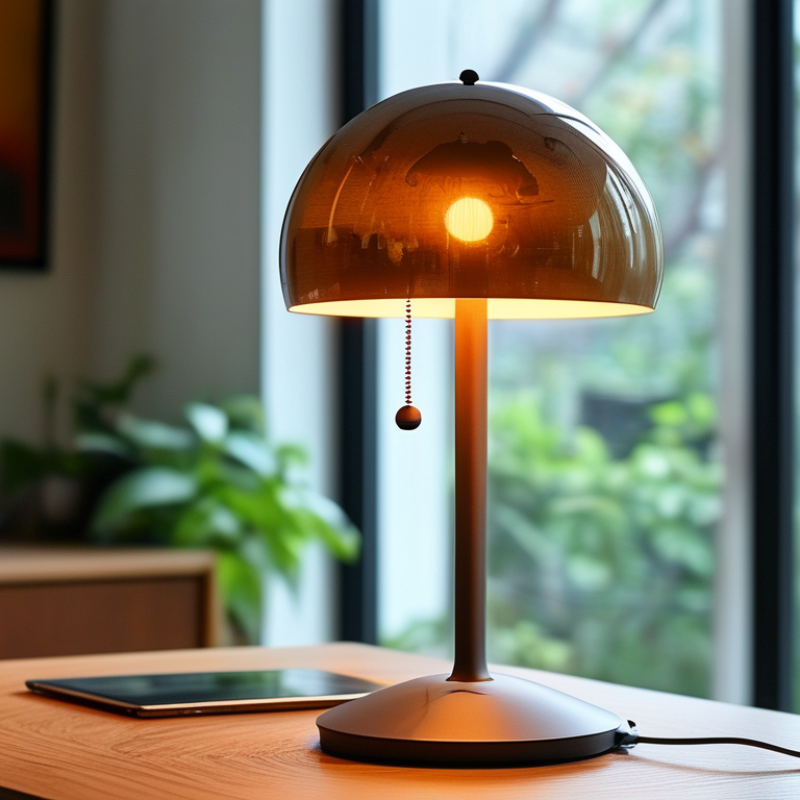
How to Upgrade Your Desk Lamp to a Smart Home Device?

Choosing the Right Smart Desk Lamp for Your Needs

When selecting a smart desk lamp, consider your specific needs. Focus on features such as adjustable brightness and color temperature. These options can enhance your workspace by promoting focus or relaxation. A lamp that adapts to your activities provides a personalized touch.

Think about the connectivity options. Some lamps connect via Bluetooth, while others use Wi-Fi. Choose one that integrates well with your existing smart home system. Compatibility is crucial for seamless operation. Look for models that support voice commands for easier access. This feature can significantly simplify your daily routine.

Aesthetics are also important. The design should fit your workspace without overwhelming it. Choose a lamp that complements your decor style. But remember, functionality comes first. A lamp may look great but may not offer adequate lighting or smart features. It’s essential to balance style with practicality for a truly effective upgrade.

Understanding Smart Home Connectivity Options

Upgrading your desk lamp to a smart home device opens the door to modern conveniences. Understanding connectivity options is crucial. Wi-Fi, Bluetooth, and Zigbee are the primary protocols that enhance connectivity. According to industry research, nearly 70% of smart home devices rely on Wi-Fi. This accessibility makes it easy to control your desk lamp from anywhere.

Bluetooth is another viable option. It allows for quick pairing with your smartphone. However, its range is limited compared to Wi-Fi. Zigbee presents a unique advantage as it is designed for low-energy consumption. This can be beneficial for long-term efficiency, as a report by the International Energy Agency states that smart devices can reduce energy use by up to 40%.

When choosing connectivity, keep these tips in mind. Ensure your Wi-Fi signal is strong enough in your workspace. Consider whether you prefer the convenience of app-based control or a more direct approach with Bluetooth. Also, reflect on how interconnected you want your devices to be. Smart devices often communicate with one another, which could enhance functionality but adds complexity. Balancing this can lead to smoother integration into your daily life.

Installing and Setting Up Your Smart Desk Lamp

Upgrading your desk lamp to a smart home device can enhance your workspace significantly. The installation process is straightforward but requires attention to detail. Start by ensuring that your smart desk lamp is compatible with your home network. Most smart devices connect via Wi-Fi or Bluetooth, so check their specifications carefully.

To set up your new lamp, download the corresponding app on your smartphone. Follow the instructions to connect your lamp. Most setups involve creating an account and linking the lamp to your Wi-Fi network. Be prepared to face connectivity issues. Sometimes, resetting the lamp is necessary if it doesn't connect right away.

Here are some tips for optimizing your experience. Position the lamp in a location where it can illuminate your workspace effectively. Adjust the brightness according to your tasks. Use voice commands for ease. Experiment with different features, like color changes and scheduling, to find what suits you best. Remember, not all features may work seamlessly. Take time to discover what settings enhance your productivity.

Integrating Your Smart Desk Lamp with Other Devices

Integrating a smart desk lamp within your smart home ecosystem can significantly enhance your workspace. Studies suggest that smart lighting can improve focus and productivity by over 25%. These lamps can connect to various devices, allowing for seamless control of your environment. By linking your desk lamp to a smart home hub, you can synchronize it with other devices, like thermostats or smart speakers, to create a unified atmosphere.

For a truly interconnected experience, consider voice activation. With over 70% of smart home users adopting voice controls, you're in good company. You can say "Good morning" to trigger your lamp, turn on your coffee maker, and adjust the room temperature. This kind of integration can save you time during your busy mornings. However, be mindful of privacy concerns that can arise with increased connectivity. Some users report discomfort over the data these devices collect.

Another practical integration is setting your desk lamp on a schedule. Research indicates that automated lighting can help establish better routines. You can program your lamp to simulate the sunset, which gradually reduces brightness. This transition can aid in winding down and improving sleep quality. Nevertheless, adjusting to these new routines can take time. Experiment with different settings to find the right balance for your needs.

Exploring Additional Features and Customizations

Upgrading your desk lamp to a smart home device opens up a world of customization. Consider adding features like adjustable brightness and color temperature. You can choose warm light for relaxing evenings. Or, opt for cool light to boost focus during work hours. Some lamps even allow you to set specific schedules. Imagine your lamp turning on gradually in the morning, simulating a natural sunrise.

Integration with other smart devices enhances your experience. Connecting your lamp to a smart home hub lets you control everything from your smartphone. Voice commands can also adjust brightness or turn the lamp on and off. Explore adding motion sensors too. This can save energy by turning off the lamp when you leave the room.

Customization doesn’t stop at functionality. The aesthetic details matter. Consider lamps with different shapes and finishes that suit your space. Experiment with different placements for the best light distribution. Reflect on how much light you actually need. Sometimes less is more, and dimming the brightness can create a cozier vibe. Finding that sweet spot can enhance your workspace considerably.

FAQS

: What are the main connectivity options for smart home devices?

: The primary protocols are Wi-Fi, Bluetooth, and Zigbee. Each has unique advantages for connectivity.

How does Wi-Fi support smart devices?

Wi-Fi allows nearly 70% of smart devices to connect easily. It enables control from anywhere with a stable signal.

What are the limitations of Bluetooth?

Bluetooth offers quick pairing but has a limited range. It’s best for devices close to your smartphone.

Why is Zigbee a good choice for smart devices?

Zigbee is designed for low energy consumption. This can help reduce energy use by up to 40%.

What should I consider when installing a smart desk lamp?

Ensure compatibility with your network and follow app instructions. Be prepared for potential connectivity issues.

How can I optimize the use of my smart desk lamp?

Position it well, adjust brightness, and use voice commands. Experiment with features to improve productivity.

What customization options are available for smart lamps?

Features like adjustable brightness and color temperature enhance usability. You can also set schedules for convenience.

How does integrating a lamp with smart home hubs help?

It allows control from your smartphone and adds voice command capabilities. This integration simplifies your experience.

What aesthetic aspects should I consider for my lamp?

Choose shapes and finishes that fit your space. Placement matters too, as it affects light distribution.

How can energy savings be achieved with smart lamps?

Using motion sensors allows lamps to turn off when not in use. This feature conserves energy effectively.

Conclusion

Upgrading a standard desk lamp to a smart home device involves several key steps to enhance functionality and convenience. First, it's essential to choose the right smart desk lamp that aligns with your specific needs, considering factors like brightness, design, and additional features. Understanding smart home connectivity options ensures that your new lamp can easily integrate with your existing devices, whether through Wi-Fi, Bluetooth, or Zigbee.

Once you have your smart desk lamp, the installation and setup should be straightforward, often guided by a user-friendly app. After successfully setting it up, you can integrate it with other smart devices in your home for a cohesive ecosystem. Additionally, exploring extra features such as customizable lighting scenes, voice control compatibility, and scheduling can significantly enhance your workspace. By following these steps, you will learn how to upgrade a standard desk lamp to a smart home device, transforming your environment into a more efficient and connected space.

Henry

Henry

Henry is a dedicated marketing professional with a profound expertise in the company's offerings. With years of experience in the industry, he possesses an impressive understanding of the market dynamics and consumer behaviors that drive success. Henry is committed to sharing his insights through......